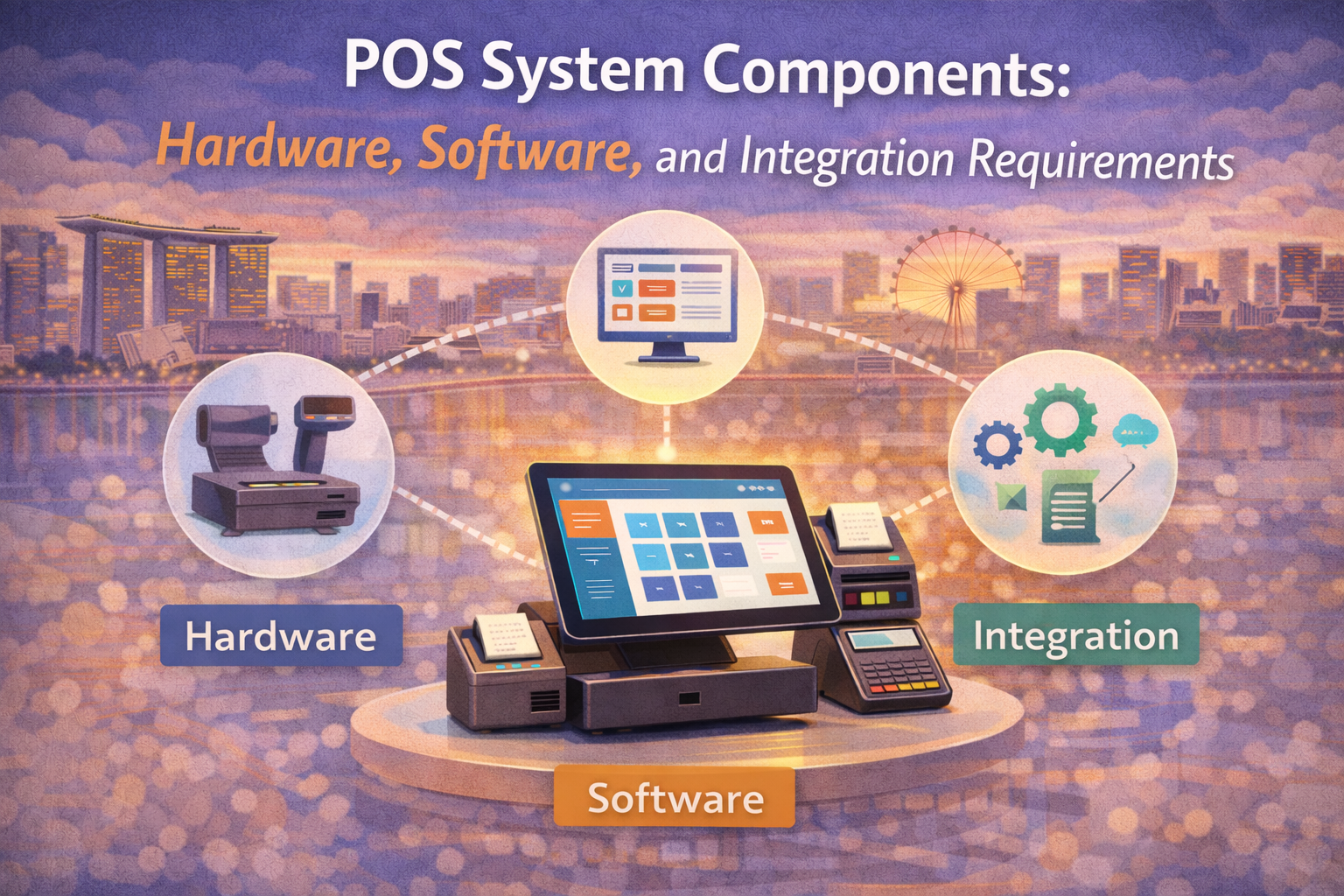
POS System Components: Hardware, Software, and Integration Requirements
In today’s fast-paced retail and hospitality landscape, a robust Point-of-Sale (POS) system is the backbone of efficient operations, streamlined workflows, and exceptional customer experiences. This comprehensive guide delves into every aspect of POS systems—from hardware essentials to software modules, integration requirements, and best practices—to help business owners, IT teams, and decision-makers make informed choices. We also explore how BigPOS’s cloud-based, feature-rich platform empowers enterprises of all sizes to optimize performance, scale seamlessly, and harness real-time insights for growth.
Table of Contents
- Introduction to POS Systems
- Essential POS Hardware Components
- Core POS Software Modules
- Integration Requirements & Best Practices
- Deployment & Implementation Considerations
- Advanced Features & Emerging Trends
- How BigPOS Elevates Your POS Ecosystem
- SEO Best Practices for Your POS Blog
- Conclusion & Next Steps
1. Introduction to POS Systems
A Point-of-Sale (POS) system is the central hub where sales transactions occur and data is captured across hardware devices and software applications. Beyond ringing up purchases, modern POS platforms integrate inventory control, customer management, employee scheduling, loyalty programs, and analytics—transforming everyday transactions into strategic data points. Whether you run a single café, a multi-outlet retail chain, or an e-commerce store, choosing the right POS infrastructure fuels operational excellence, reduces errors, and drives revenue.
Why a robust POS matters
- Accuracy: Automated scanning and integrated pricing ensure correct itemization and totals.
- Efficiency: Real-time synchronization across registers, inventory, and reporting dashboards accelerates decision-making.
- Customer experience: Smooth checkouts, flexible payment options, and personalized loyalty rewards foster satisfaction and loyalty.
- Scalability: Modular hardware and cloud-based software mean you can scale from one location to many without overhauling systems.
2. Essential POS Hardware Components
A well-rounded POS solution starts with reliable hardware. Below are the core devices every modern retail or hospitality operation should consider:
2.1 POS Terminals and Touchscreen Devices
POS terminals are the heart of your checkout station. Options include:
- All-in-One Terminals: Integrated touchscreen, CPU, and peripherals minimize desk clutter.
- Tablets & Mobile Devices: POS apps using handheld devices offer flexible, portable checkouts—ideal for pop-ups or queue busting.
- Desktop PCs: Traditional setups that support heavy customization.
Key considerations: processor speed, touchscreen responsiveness, ruggedness for high-volume environments.
2.2 Cash Drawers
Securely store cash, checks, and valuable documents in:
- Standard Cash Drawers: Triggered by the POS to open only upon authorized transactions.
- Heavy-Duty Drawers: Reinforced steel with dual-lock mechanisms for high-risk locations.
2.3 Receipt Printers
Provide customers with detailed purchase records via:
- Thermal Printers: Fast, quiet, and low-maintenance.
- Impact Dot Matrix: Multi-copy receipts, ideal for kitchens or delivery order slips.
2.4 Barcode Scanners
Speed up item entry and inventory counts with:
- Handheld Scanners: Versatile for both front-end and back-office use.
- Fixed Mount Scanners: Built into countertops for rapid, hands-free scanning.
2.5 Card Readers & Payment Terminals
Meet customer demand for secure, frictionless payments:
- EMV Chip Readers: Protect against card fraud with Europay-Mastercard-Visa compliance.
- NFC & Mobile Wallet: Accept Apple Pay, Google Pay, and contactless cards.
- Proprietary Terminals: Integrated PIN pads built into the POS terminal.
2.6 Customer-Facing Displays
Secondary displays increase transparency and engagement by showing:
- Order Totals: Customers verify items and prices in real time.
- Promotional Messages: Upsell and cross-sell offers while customers wait.
2.7 Networking & Power Backup
Ensure continuous operations with:
- Wired LAN or Wi-Fi Infrastructure: Dedicated SSID and VLANs for security.
- Uninterruptible Power Supply (UPS): Keeps registers live during brownouts or outages.
3. Core POS Software Modules
Beyond hardware, the true power of a POS lies in its software ecosystem. Key modules include:
3.1 Sales Processing & Order Management
- Quick Checkout: Barcode or manual entry with customizable buttons for popular items.
- Order Types: Dine-in, takeaway, delivery, or curbside pickup workflows.
- Split Bills & Multi-Payment: Accept multiple payment methods per transaction.
3.2 Inventory & Stock Management
- Real-Time Stock Updates: Automatic decrement on sales and alerts when inventory dips below reorder levels.
- Multi-Location Sync: Centralized control across warehouses, stores, and kiosks.
- Supplier Management: Purchase orders, vendor catalogs, and cost tracking.
3.3 Customer Relationship Management (CRM) & Loyalty
- Customer Profiles: Capture basic demographics, purchase history, and preferences.
- Loyalty Programs: Points, tiered rewards, and automated promotions based on behavior.
- Segmentation & Campaigns: Targeted email or SMS offers for birthdays, anniversaries, or VIP customers.
3.4 Employee Management
- Attendance & Time Tracking: Clock-in/out at terminals or via mobile app.
- Scheduling: Shift planning, availability management, and overtime alerts.
- Payroll Integration: Export hours and wages to payroll software.
3.5 Business Reporting & Analytics
- Dashboards: Key performance indicators (KPIs) like daily sales, average transaction value, and best sellers.
- Custom Reports: Inventory turnover, labor cost percentage, sales by category or staff.
- Predictive Insights: Demand forecasting and margin analysis powered by machine learning.
3.6 Payment Processing Module
- Gateway Integrations: Seamless connections to PayNow, SGQR, GrabPay.
- Tokenization & PCI DSS Compliance: Secure storage and transmission of card data.
- Multi-Currency Support: Ideal for tourist-facing businesses.
3.7 Promotion & Discount Management
- Coupon Codes & Vouchers: Percentage, fixed amount, or buy-X-get-Y deals.
- Automated Promotions: Apply happy hour, BOGO, or volume discounts based on rules.
- Price Tiering: Member vs. non-member pricing, wholesale rates, or seasonal markdowns.
3.8 Integration Module
- Open APIs & Webhooks: Real-time data exchange with external systems.
- Pre-Built Connectors: ERP, accounting, e-commerce platforms, and CRM suites.
- Middleware Support: iPaaS solutions like Zapier or Celigo for low-code integrations.
4. Integration Requirements & Best Practices
To derive maximum value, POS systems must integrate seamlessly with a wide array of third-party applications. Key considerations include:
4.1 Real-Time Data Synchronization
- Instant Updates: Sales, inventory, and customer data should sync bi-directionally with accounting and e-commerce platforms.
- Webhooks: Trigger external workflows on events like new orders or stock changes.
4.2 API-Based Connectors
- RESTful Endpoints: Well-documented APIs with versioning and sandbox environments.
- GraphQL: Flexible queries for complex data retrieval without overfetching.
4.3 Middleware & iPaaS Solutions
- Scalability: Handle high transaction volumes without latency.
- Prebuilt Templates: Accelerate time-to-implement with ready connectors for Shopify, QuickBooks, Xero, and more.
4.4 POS-Payment Gateway Integration
- Secure Tokenization: Protect cardholder data at rest and in transit.
- PCI DSS Compliance: End-to-end encryption and certification.
4.5 ERP & Accounting Integration
- General Ledger Sync: Automated journal entries for sales, returns, taxes, and discounts.
- Inventory Valuation: Real-time adjustment of stock asset values.
4.6 E-commerce Platform Sync
- Stock Availability: Unified inventory levels for online and in-store channels.
- Order Fulfillment: Send e-commerce orders to back-office workflows.
4.7 Testing & Validation
- Sandbox Environments: Simulate production data without impacting live operations.
- Automated QA: Regression tests on API changes and system updates.
4.8 Security & Compliance
- OAuth2 & API Keys: Secure access with fine-grained scopes.
- Audit Trails: Track data changes, user logins, and administrative actions.
5. Deployment & Implementation Considerations
A smooth implementation minimizes disruption and maximizes ROI. Key steps include:
5.1 Scalability Planning
Assess current needs and future growth to determine:
- Single-outlet vs. multi-outlet licensing
- Cloud infrastructure sizing and failover strategies
- Localization for different countries (tax rules, languages)
5.2 Cloud vs. On-Premises
- Cloud-Based POS: Lower upfront costs, automatic updates, anywhere access.
- On-Premises: Greater control, offline capabilities, but higher maintenance overhead.
5.3 Hardware Certification & Compatibility
- Validate that scanners, printers, and terminals are on the POS vendor’s compatibility list.
- Opt for industry-standard interfaces (USB, Ethernet) for future flexibility.
5.4 Staff Training & Change Management
- Create user manuals, video tutorials, and hands-on workshops.
- Roll out in phases: pilot store first, then company-wide deployment.
5.5 Downtime & Contingency Plans
- Offline Mode: Continue transacting locally when internet is down; sync when restored.
- Manual Fallback: Paper receipts and batch data entry processes as a last resort.
6. Advanced Features & Emerging Trends
Stay ahead of the competition by leveraging cutting-edge POS capabilities:
6.1 Smart QR & Contactless Ordering
- Table-side QR Menus: Customers browse menus, customize orders, and pay—all on their smartphones.
- Self-Service Kiosks: Reduce wait times and labor costs.
6.2 Mobile POS & On-The-Go Apps
- Handheld Checkouts: Floor sales, tableside payments, and line busting.
- Manager Apps: Real-time alerts on sales dips, inventory shortages, or staff performance.
6.3 AI-Driven Analytics & Predictive Insights
- Demand Forecasting: Machine learning models to optimize stock levels and promotions.
- Churn Prediction: Identify at-risk customers and trigger re-engagement campaigns.
6.4 Omnichannel Commerce
- Unified Cart: Seamless transfer of shopping carts between web, mobile, and in-store channels.
- Buy Online, Pick Up In-Store (BOPIS): Increase foot traffic and cross-sell opportunities.
6.5 Modular & Customizable Front-End Layouts
- Drag-and-Drop Interface: Tailor item buttons, categories, and workflows per store type.
- Branding Controls: Colors, logos, and promotional banners on the POS screen.
7. How BigPOS Elevates Your POS Ecosystem
BigPOS combines a feature-rich software suite with modern hardware compatibility, enabling businesses to:
- Automate Business Reporting & Insights: Generate daily, weekly, and monthly performance reports with deep analytics for sales, profit margins, and customer behavior—delivered via free BIG Analytics apps.
- Enhance Customer Experience: Use the built-in CRM and loyalty program to capture buying history, reward repeat customers, and personalize promotions.
- Simplify Employee Management: Manage attendance, scheduling, payroll, and performance reviews using the integrated employee module.
- Optimize Inventory & Stock: Maintain real-time synchronization across single or multi-branch operations with automated reorder alerts in the free BIG Inventory app.
- Customize Front-End Layouts: Drag-and-drop configuration ensures the POS interface matches your brand and workflow preferences.
- Implement a Unified E-Payment Solution: Support credit/debit, e-wallets, and QR payments via a secure, PCI-compliant gateway.
- Leverage Promotion Management: Run store-wide discounts, happy hours, and targeted offers effortlessly.
- Scale with Multi-Outlet Management: Centralize control of outlets in different locations, track consolidated sales, and manage stock transfers on-the-go.
- Offer Smart QR Menu Ordering: Deploy contactless table ordering for hospitality venues, increasing order accuracy and table turnover.
- Ensure Responsive Cloud-Based Operation: Benefit from real-time data backups, free software updates, and 24/7 support from 9 AM to 2 AM.
- Empower On-The-Go Monitoring: Stay informed with free mobile apps that track sales trends, inventory levels, and employee metrics from anywhere.
9. Conclusion & Next Steps
Selecting the right POS system is pivotal for operational efficiency, data-driven decision-making, and elevated customer experiences. By understanding the hardware components, software modules, and integration requirements, you can architect a solution tailored to your unique needs. With BigPOS, enjoy a unified ecosystem—from hardware compatibility and cloud-based backups to advanced analytics, loyalty programs, and flexible front-end layouts—all backed by free apps and dedicated support.
Ready to supercharge your retail or hospitality business? Request a demo of BigPOS today to discover how real-time insights, end-to-end integrations, and customizable modules can transform your operations and driving growth.
(will link to other articles in the BigPOS SG since there aren’t much factual data required for this post)