Industry-Specific POS Requirements for Singapore Business: Retail vs Restaurant vs Small Business
Introduction
Singapore’s digital transformation has reshaped how businesses manage operations and engage customers. The Point of Sale (POS) system is no longer just a cash register—it has evolved into a comprehensive business management hub that handles transactions, inventory, customer relationships, and regulatory compliance. However, the specific requirements for a retail store, food and beverage establishment, or small hawker stall differ significantly in scope, features, and regulatory obligations.
The difference matters because choosing the wrong system can lead to operational inefficiencies, compliance violations, and missed opportunities for growth. According to the government’s Smart Nation 2.0 initiative and the Productivity Solutions Grant (PSG) program, Singapore actively encourages SMEs to adopt digital solutions through subsidies covering up to 50% of implementation costs. This makes choosing the right industry-aligned POS system more critical than ever.
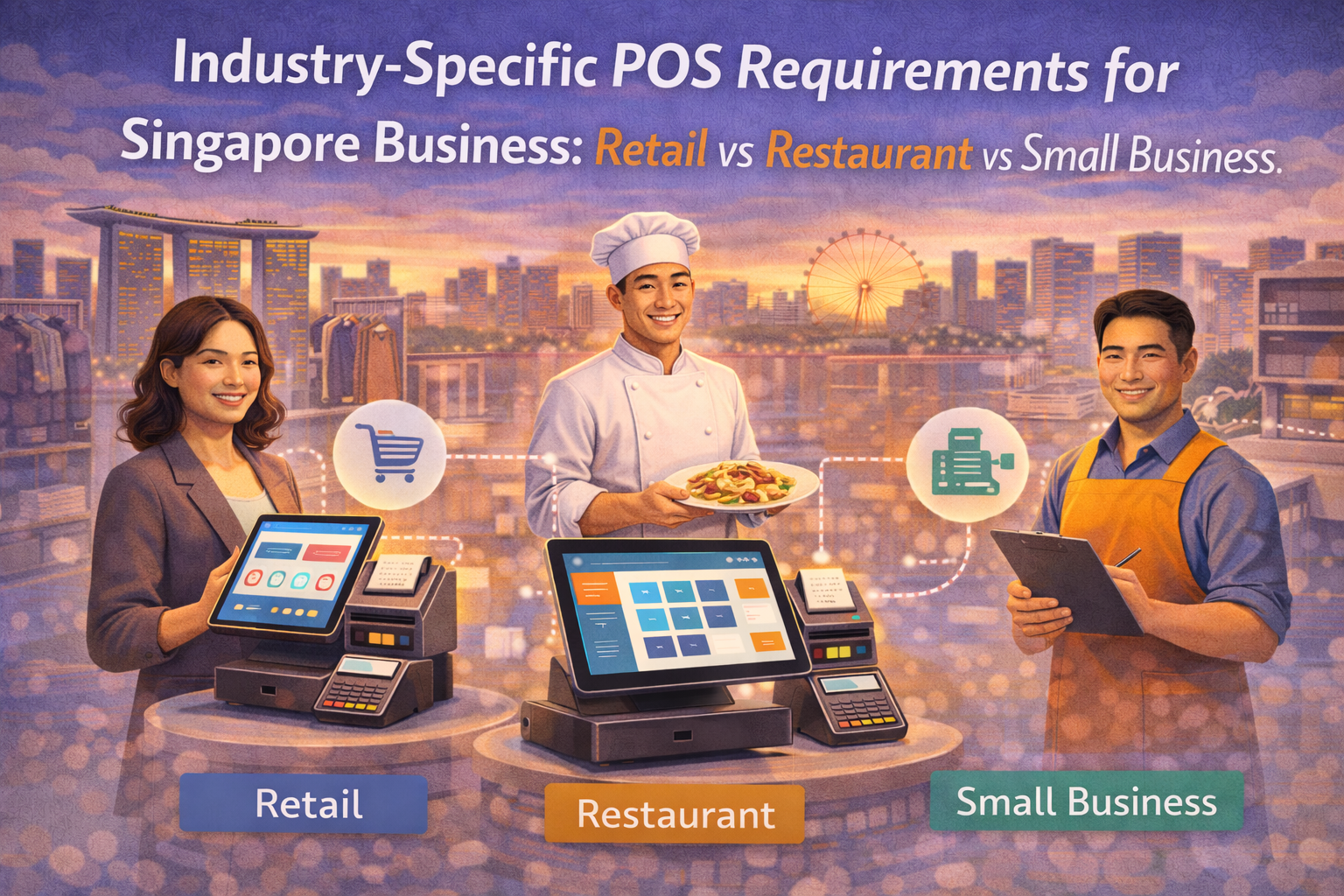
This comprehensive guide breaks down the specific POS requirements across three major business categories, helping Singapore business owners make informed decisions tailored to their operational needs.
Part 1: Regulatory Compliance Requirements for All Singapore Businesses
Before diving into industry-specific needs, understanding the regulatory landscape that applies to all Singapore businesses is essential.
GST InvoiceNow and E-Invoicing Mandate
The most significant regulatory change affecting Singapore’s POS landscape is the mandatory GST InvoiceNow requirement, administered by the Inland Revenue Authority of Singapore (IRAS). Starting from November 1, 2025, companies registering for GST voluntarily (if incorporated within six months of registration) must transmit invoice data to IRAS using InvoiceNow-ready solutions via the Peppol network. From April 1, 2026, this requirement extends to all new voluntary GST registrants.
Source: https://www.iras.gov.sg/taxes/goods-services-tax-(gst)/gst-invoicenow-requirement/gst-invoicenow-requirement)
What this means for POS systems: Your chosen solution must be an InvoiceNow-ready solution connected to an Access Point Provider (AP) approved by the Infocomm Media Development Authority (IMDA). The system must support structured digital invoice transmission to IRAS, including mandatory data elements such as transaction types, GST categories, and supplier/customer details. Aggregated entries for POS and petty cash purchases must indicate entries like “POS” or “PCP” in relevant data fields.
Source: https://www.flick.network/en/blog/e-invoicing-in-singapore
Businesses must obtain a Peppol ID through their solution provider or AP, which is registered in the SG Peppol Directory. While the mandate rollout begins with new voluntary GST registrants, IRAS has indicated plans to extend this requirement to existing GST-registered businesses and compulsory registrants after further consultation. An early adoption soft-launch began May 1, 2025, encouraging businesses to start transmitting invoice data voluntarily to prepare for mandatory compliance.
Payment Card Industry Data Security Standard (PCI DSS)
All businesses in Singapore that accept, process, store, or transmit cardholder data must comply with PCI DSS requirements established by major payment brands including Visa, Mastercard, American Express, and Discover. PCI DSS compliance is mandatory regardless of business size or industry.
Source: https://razorpay.com/sg/blog/pci-dss-compliance-in-singapore/
Merchant compliance levels are determined by transaction volume over a 52-week period:
- Level 1 Merchants (highest transaction volume) must undergo a detailed assessment by a PCI Qualified Security Assessor (QSA)
- Levels 2-4 Merchants may use self-assessment questionnaires or approved scanning vendor vulnerability assessments
For POS implementations, this means the system must incorporate secure cardholder data handling, encryption protocols, and access control mechanisms. Many cloud-based POS providers handle PCI compliance for merchants by managing the payment processing infrastructure, significantly reducing the compliance burden on small businesses.
Personal Data Protection Act (PDPA) Compliance
Singapore’s PDPA protects personal data collected through POS systems, including customer contact information, transaction history, and behavioral data used for loyalty programs. Organizations must:
- Obtain consent before collecting personal data
- Inform customers about data collection, use, and disclosure
- Allow customers to access and correct their personal data
- Implement reasonable security measures to protect customer data
Source: https://www.rapyd.net/security-compliance/pdpa/
This particularly affects retailers and restaurants utilizing CRM and loyalty program features. The PDPC has previously issued penalties to businesses failing to implement adequate security measures in POS system servers. For example, Southaven Boutique received a financial penalty for failing to establish reasonable security arrangements preventing unauthorized access to customer personal data stored in its POS system server.
Source: https://www.pdpc.gov.sg/-/media/Files/PDPC/DPO-Connect/may-22/emailer.htm
Singapore Payments Network (SPaN) and Updated Payment Standards
Singapore is consolidating the administration of national payment schemes under the new Singapore Payments Network (SPaN) entity, collaborating with the Monetary Authority of Singapore (MAS). This development means merchants should select POS systems that can adapt to changing compliance requirements and technical standards as SPaN implements new regulations in 2025 and beyond.
Part 2: Retail POS Requirements in Singapore
Core Retail Functions
Retail businesses face unique operational demands that require specific POS capabilities:
1. Real-Time Inventory Management
A retail POS system must track stock levels in real-time across all outlets, preventing both stockouts and overstock situations. Essential features include:
- Barcode scanning for rapid product identification and inventory updates
- Low-stock alerts triggering automatic purchase order generation
- Multi-outlet inventory synchronization for businesses with multiple locations
- Inventory variance reporting during routine stocktaking
- Stock transfer capabilities between outlets and warehouses
Source: https://www.hashmicro.com/blog/retail-pos-system/
The barcode system enables retailers to eliminate human error in transactions while maintaining accurate product data. When items are scanned, the system automatically updates inventory quantities, generates product information (name, price, description), and prevents duplicate barcodes in the system.
Advanced stocktake applications support both product scanning and manual entry, with data automatically syncing to backend systems. The system can track product cost prices, base prices, and descriptions, supporting both normal products and composite products with child items.
For retailers managing multiple locations, BIG Inventory provides mobile inventory management with centralized control across all branches. The system monitors stock quantities and specific locations while sending low-stock alerts to prevent shortages. Real-time synchronization minimizes manual entry errors, and the platform’s scalability ensures it grows seamlessly as businesses expand from single-location operations to multi-outlet chains.
2. Multi-Outlet Management
For retail chains operating multiple locations, centralized POS systems provide critical advantages:
- Unified sales data across all outlets with centralized dashboards
- Standardized pricing and promotion management across locations
- Consolidated customer data for omnichannel loyalty programs
- Real-time visibility into sales performance by location, enabling manager decision-making
- Automated stock allocation and transfer between outlets based on sales patterns
Cloud-based multi-outlet POS systems allow managers and owners to access real-time data from anywhere, monitoring sales performance and making operational adjustments without needing to be physically present at each location.
BigPOS Pro exemplifies this capability with centralized multi-outlet management that standardizes operations across locations while providing unlimited product management. The system’s cloud-based architecture enables real-time synchronization across branches, allowing managers to monitor performance, adjust pricing, and manage inventory from a single dashboard—whether overseeing two outlets or twenty.
3. Omnichannel Integration
Singapore’s retail landscape increasingly demands seamless integration between physical stores, online channels, and third-party marketplaces:
- E-commerce platform integration (Lazada, Shopee, WooCommerce)
- Unified inventory across online and offline channels preventing overselling
- Click-and-collect functionality allowing customers to order online and pick up in-store
- Centralized customer profiles recognizing omnichannel purchase history
- Accounting software integration (Xero, QuickBooks) for automated reconciliation
Retailers using omnichannel POS systems report significant efficiency gains—one study cited in industry sources shows a potential 287% growth in sales through proper omnichannel integration. This integration ensures that when a customer purchases online and returns in-store, the system recognizes them instantly, allowing smooth return processing and consistent service delivery.
Omnichannel solutions support diverse fulfillment methods including buy online pick-in-store (BOPIS), unified returns across channels, and coordinated inventory. Multi-variant product management becomes essential for fashion retailers managing multiple sizes, colors, and styles across physical and online channels.
4. Loyalty Programs and CRM Integration
Modern retail POS systems integrate Customer Relationship Management (CRM) capabilities to build customer loyalty:
- Customizable loyalty program structures (point-based, tiered membership)
- Automated reward collection and redemption through the POS
- Customer segmentation based on purchase history and behavior
- Targeted promotional campaigns triggered by customer data
- Member signup capabilities integrated into the checkout experience
- Purchase history tracking for personalized marketing
These CRM features transform one-time transactions into long-term customer relationships. Integrated loyalty programs can increase customer lifetime value by recognizing returning customers and offering personalized rewards based on their spending patterns and product preferences. Research indicates that consumers feeling a connection to a brand are likely to spend more, with 76% preferring that business over competitors.
B-Rewards, BigPOS’s integrated loyalty solution, enables retailers to build exactly this type of customer connection. The system allows customers to collect and redeem points seamlessly at checkout while providing merchants with behavioral insights based on shopping habits. Retailers can offer exclusive discounts to VIP customers, manage store-wide promotions from a centralized dashboard, and track buying history to understand customer needs—turning transaction data into relationship-building opportunities.
5. Cash Management and Drawer Controls
- Accurate cash handling with drawer counts and end-of-day reconciliation
- Multiple payment method processing (cash, cards, e-wallets, BNPL)
- Detailed transaction records for audit trails
- Payment method segregation for financial reporting
6. Retail-Specific Hardware Integration
- Barcode scanners for rapid product identification
- Barcode printers for creating product labels and shelf markers
- Receipt printers for customer receipts
- Cash drawers for secure cash storage
- Label makers for inventory management
7. Shopping Mall Integration Requirements
In Singapore, major shopping malls require mandatory extraction of daily sales data from tenant POS systems for computer network transfer to the mall’s tenant management server. The POS system must support automated, daily data extraction in formats compatible with mall management systems. This requirement affects retail businesses operating within mall environments across Singapore.
Payment Processing for Retail
Singapore’s retail environment has evolved into a virtually cashless society. Retail POS systems must support:
- Credit and debit cards (Visa, Mastercard, American Express)
- Contactless card payments via NFC technology
- Mobile wallets (Apple Pay, Google Pay, Samsung Pay)
- Local e-wallets (GrabPay, PayNow)
- SGQR+ (Singapore’s unified QR code payment system)
- Buy Now, Pay Later (BNPL) solutions
- Gift card functionality (physical and digital)
Source: https://www.shopify.com/sg/retail/pos-requirements
The integration of PayNow, SGQR+, and other local payment methods is particularly important. PayNow has become increasingly popular for direct bank transfers, while SGQR+ allows customers to pay using multiple digital wallets through a single QR code. Supporting these methods ensures maximum customer convenience and prevents lost sales due to payment limitations.
Reporting and Analytics for Retail
Comprehensive reporting capabilities help retailers make data-driven decisions:
- Sales reporting by product, category, location, and sales associate
- Inventory movement and stock variance analysis
- Customer behavior analytics (top customers, repeat purchase rates)
- Profitability analysis by product and category
- Peak hour identification for staffing optimization
- Marketing campaign ROI tracking
BIG Analytics transforms raw transaction data into actionable business intelligence for retailers. The platform provides real-time dashboards showing best-selling products, transaction details, and bottom-line performance at a glance. Dedicated mobile apps enable owners to track sales and inventory from anywhere, with powerful reporting supporting daily, weekly, and monthly performance analysis. By identifying star products and tracking spending behaviors over time, retailers can optimize marketing strategies and inventory allocation based on actual performance data rather than intuition.
Part 3: Restaurant and F&B POS Requirements in Singapore
Core F&B Operations
Restaurant POS systems operate in a fundamentally different environment than retail, requiring specialized features optimized for food service operations.
1. Order Management and Table Management
A restaurant POS must efficiently manage complex ordering processes:
- Table management systems with visual floor layouts showing real-time table occupancy status
- Color-coded table statuses (occupied, waiting for food, ready for bill, available for cleaning)
- Tableside ordering capabilities allowing servers to take orders directly
- Table merging and transfer functions to optimize seating during dynamic service
- Queue management and waiting customer tracking
- Reservation system integration with automatic table assignment
These features are essential during peak service periods when multiple orders must be processed simultaneously. The system prevents missed orders, double-ordering of items, and miscommunication between front-of-house and kitchen staff.
BIG Waiter transforms smartphones into powerful tableside ordering devices, enabling servers to send orders directly from the table to the kitchen in real-time. This mobile app improves service efficiency by reducing front-end queue congestion and eliminating traditional pen-and-paper order systems that create manual entry errors. The cloud-based platform ensures automatic data backup and synchronization across devices, providing instant updates for real-time analysis while including employee attendance tracking to simplify payroll management.
2. Kitchen Display System (KDS) Integration
Modern restaurants rely on integrated KDS to streamline kitchen operations:
- Direct order transmission from POS to kitchen displays eliminating manual dockets
- Item routing to correct kitchen stations (grill, fryer, sauces, assembly)
- Real-time order status updates visible to kitchen staff
- Customizable color coding for order priorities and special requests
- Integration with delivery orders showing alongside dine-in orders
- Completion indicators preventing duplicate preparation
- Multi-outlet kitchen management for restaurants with multiple locations
Source: https://www.anewtech.net/solutions/iot/kitchen-display-system
KDS systems eliminate traditional receipt printing, improving environmental sustainability while reducing kitchen chaos. Orders appear systematically on displays, with automatic routing to correct stations, reducing preparation errors and service times. The system organizes orders by kitchen station and highlights overtime situations, takeaway orders, and deliveries with color-coding to ensure staff awareness.
For restaurants managing orders from multiple outlets, kitchen display systems provide centralized management allowing remote monitoring and order management across locations.
Source: https://www.imin.com/kitchen-display-hardware-updated-for-2022/
BigPOS’s Display System (KDS-CDS) delivers this operational efficiency with highly organized workflow management that instantly notifies chefs of new orders while helping servers track order status to prevent missing items. The drag-and-drop interface enables kitchen staff to update order statuses quickly, while seamless synchronization between the POS, KDS, and customer-facing displays keeps everyone informed. This sophisticated communication tool connects front-of-house and back-of-house operations, reducing errors and improving meal preparation timing during peak service periods.
3. QR Code Ordering Systems
QR ordering has become mainstream in Singapore’s F&B sector:
- Table-mounted QR codes allowing customers to access digital menus
- Customizable menu presentation with food images and descriptions
- Order customization options (add-ons, dietary preferences, cooking instructions)
- Direct payment from phone using e-wallets or card processing
- Membership/loyalty point collection integrated into QR ordering
- Reduced staff dependence for order taking, lowering labor costs
QR ordering significantly improves table turnover rates by eliminating wait times for server assistance. Customers can browse at their own pace, modify items instantly, and pay directly from their phones. For restaurants operating with tight margins and labor challenges, this feature is increasingly critical. Implementation enables staff to focus on service quality rather than manual order entry.
Integration with membership systems allows customers to sign up as members during QR ordering, seamlessly collecting and redeeming loyalty points and eVouchers. This combination creates personalized customer experiences while building repeat business through tiered membership programs.
BIG POS Pro integrates QR menu ordering that enables scan-to-order functionality with full product information and integrated payment processing. Customers can browse customizable menus with food images and descriptions, place orders with modification options, and pay directly from their phones—reducing staff dependency while improving service efficiency. When combined with B-Rewards, the system seamlessly captures member signups during the QR ordering process, automatically tracking loyalty points and enabling instant redemptions without requiring separate registration steps.
4. Comprehensive Payment Processing
F&B establishments in Singapore must accept diverse payment methods:
- PCI DSS compliant card processing for credit/debit cards
- Local payment integration (PayNow, NETS)
- Mobile wallet support (Apple Pay, Google Pay, GrabPay)
- SGQR integration for unified QR payment
- Split billing capabilities (evenly split or by item)
- Flexible bill merging for parties adjusting group composition
- Customizable tender types for special promotions or programs
The ability to split bills is particularly important for group dining, allowing flexibility in how customers share costs without creating operational friction at checkout. Advanced systems support splitting bills evenly, by item, or creating multiple merged bills as needed.
5. Inventory Management for F&B
Restaurant-specific inventory features include:
- Recipe-based inventory tracking tying menu items to ingredient usage
- Food cost analysis and recipe costing for menu profitability assessment
- Par level management for automatic purchase order triggers
- Supplier integration for streamlined procurement
- Waste tracking and variance reporting (theoretical vs. actual usage)
- Ingredient costing updates reflecting supplier price changes
Recipe costing is critical for F&B profitability. By tracking ingredient costs and recipe yields, restaurants can identify which menu items are truly profitable, optimize portion sizes, and make informed pricing decisions. Advanced POS systems integrate with recipe management software, automatically calculating theoretical food costs based on sales and comparing them to actual costs to identify waste or theft.
The formula for calculating restaurant food cost is straightforward: Food Cost \= (Cost of Ingredients / Selling Price) x 100. This metric reveals which menu items yield healthy profit margins and which require price adjustments or ingredient optimization.
Source: https://www.restaurant365.com/blog/recipe-costing-vs-food-costing/
6. Food Delivery Platform Integration
For F&B businesses offering delivery through third-party platforms:
- GrabFood and Foodpanda official integration enabling orders to flow directly into the POS
- Automatic order receipt in kitchen display systems without manual data entry
- Consolidated order views showing dine-in, takeaway, and delivery orders simultaneously
- Menu synchronization across all platforms from a single backend system
- Real-time inventory updates preventing overselling across channels
- Unified reporting combining sales from all channels
- Single kitchen printer handling orders from all sources
With proper integration, delivery orders are sent directly into the POS in approximately 5 seconds, with automatic printing in the kitchen. This eliminates manual order entry, preventing the errors that occur when staff manually re-key orders from delivery platforms into the POS system. A single backend allows menu management across restaurant POS, GrabFood, and Foodpanda simultaneously, with instant application of changes to all channels.
Integration reduces operational complexity during peak hours. Without integration, staff must manually enter delivery orders into the POS, creating errors and delays. With integration, orders appear automatically in the correct kitchen station, maintaining service quality regardless of order source.
7. Staff Management and Labor Scheduling
- Employee clock in/out for accurate attendance tracking
- Sales performance attribution to individual team members
- Commissions and incentive calculation
- Shift scheduling with employee availability management
- Labor cost tracking and optimization
- Staff performance analytics
Proper scheduling balances several considerations: full-time employees legally working no more than 44 hours per week, part-time employees limited to 35 hours weekly, adequate staffing during peak periods, and cost control during lull times. Integration with POS sales data helps managers optimize staffing levels against actual business volume.
8. Reservation and Queue Management
- Integrated reservation systems tracking incoming bookings
- Automatic table assignment optimizing space utilization
- Queue number system for walk-in customer management
- Estimated wait time calculation
- No-show tracking and customer history notes
Specific F&B Business Models
Quick Service Restaurants (QSR) and Hawker Stalls
QSR and hawker stall operators have different POS needs than full-service restaurants:
- Rapid order-taking focused on transaction speed
- Minimal table management (typically counter service or takeaway only)
- Simplified menu structures
- Integration with delivery platforms for online ordering
- Portable POS solutions or mobile-first interfaces
- Lower hardware costs to match tighter margins
Cafes and Coffee Shops
Cafe-specific requirements include:
- Pre-ordering capabilities for morning rush optimization
- Customizable beverage options (milk type, temperature, sweetness)
- Queue management for high-volume periods
- Integration with loyalty programs driving repeat visits
- Simple inventory management focused on key ingredients
- Integration with third-party delivery apps (GrabFood, Foodpanda)
Fine Dining Establishments
Fine dining restaurants require advanced features:
- Coursing management ensuring dishes arrive in proper sequence
- Reservation integration with premium seating arrangements
- Table side ordering and premium service workflows
- Advanced inventory for wine lists and premium ingredients
- Guest history and preference tracking
- Integration with reservation platforms and review management
Part 4: Small Business and Hawker POS Requirements
Unique Considerations for Small Businesses
Small businesses operate with constraints different from established retail chains or restaurants, requiring different POS priorities.
1. Affordability and Cost-Effectiveness
- Significantly lower hardware costs than traditional POS systems
- Minimal setup fees or free entry-level plans
- Transparent, pay-per-use pricing models scaling with business size
- Potential access to Productivity Solutions Grant (PSG) covering 50% of costs
- No expensive ongoing monthly subscriptions for basic operations
Many small business POS solutions offer free entry-level plans allowing operators to start accepting digital payments immediately. This low barrier to entry has been particularly valuable for hawker stalls and small vendors traditionally operating cash-only.
BIG POS Lite exemplifies this approach as an essential POS service specifically optimized for SMEs, kiosks, food trucks, food stalls, and small service businesses. The solution provides centralized tools to track transactions, generate reports, and manage business operations from one hub, with integrated contactless payment gateway support. The system includes employee management tools and free software updates, offering small businesses enterprise-level capabilities without enterprise-level costs.
2. Mobile-First and Cloud-Based Architecture
- Access to POS from mobile devices and tablets
- Operations continue seamlessly during internet outages (offline mode)
- Automatic data synchronization when connectivity resumes
- Simplified setup without requiring dedicated hardware infrastructure
- Remote management capabilities for owner oversight
Cloud-based solutions eliminate the need for expensive on-site servers and IT infrastructure, reducing overhead costs significantly.
3. Simplified Operations Focus
- Fast transaction processing optimized for high-volume, low-ticket sales
- Minimal staff training required (intuitive interfaces)
- Basic inventory tracking without complex multi-outlet management
- Essential payment method support (cards, QR codes, e-wallets)
- Simple reporting focused on daily sales and cash reconciliation
Small vendors benefit from solutions prioritizing speed and simplicity over comprehensive features. BIG POS Lite tracks basic buying history and customer information with unified e-payment gateway integration that simplifies auditing across different sales income sources, enabling hawker stalls and kiosks to manage operations efficiently without overwhelming complexity.
4. Unified QR Payment Solutions
Small vendors particularly benefit from unified QR payment systems:
- SGQR+ integration accepting multiple payment methods through single QR code
- PayNow support for direct customer-to-merchant bank transfers
- GrabPay integration for loyalty program participation
- Reduced need for multiple payment terminals
- Cost savings through consolidated payment infrastructure
For hawker stalls operating on thin margins, accepting digital payments through a single QR code has eliminated historical barriers to cashless transactions. Modern POS providers offer transparent pricing without setup fees, enabling hawkers to print unified PayNow-GrabPay QR codes within minutes and start accepting digital payments immediately.
5. Integration with Online Sales Channels
- Shopee and Lazada integration for omnichannel selling
- Unified inventory across online and physical sales
- Order consolidation from multiple channels
- Simplified fulfillment management
Many small retailers now operate both physical stores and online storefronts simultaneously. POS systems must sync inventory in real-time preventing overselling across channels.
6. Government Support and Grant Access
The Productivity Solutions Grant (PSG) significantly impacts small business POS adoption:
- Up to 50% funding for pre-approved POS solutions
- Direct subsidy reducing initial investment burden
- Access to approved vendor ecosystem with multiple qualified providers
- Grants also cover complementary solutions (Kitchen Display Systems, Self-Ordering Kiosks)
- Bundled solutions available allowing multiple tools within single grant application
To qualify for PSG, businesses must be:
- Registered and operating in Singapore
- At least 30% locally-owned
- Group annual sales turnover below S$100 million or fewer than 200 employees
Source: https://grof.co/sg/blog/psg-grant-singapore-2025
Part 5: Comparative Analysis: Key Differences Across Business Types
| Feature | Retail | Restaurant/F&B | Small Business |
| Primary Focus | Inventory management, multi-outlet sync, omnichannel | Order management, kitchen operations, table management | Transaction speed, payment acceptance, simplicity |
| Inventory Complexity | High – barcode scanning, multi-outlet transfers, forecasting | Medium – recipe-based, ingredient tracking, par levels | Low – simple stock alerts, basic tracking |
| Payment Processing | Multiple methods, loyalty integration, POS data extraction | Multiple methods, split bills, delivery platform integration | Essential methods (cards, QR, e-wallets) |
| Customer Management | CRM integration, loyalty programs, purchase history | Reservation systems, table preferences, repeat customer tracking | Basic transaction records, optional loyalty |
| Staff Management | Commission tracking, performance metrics, scheduling | Shift scheduling, labor cost tracking, station assignments | Basic time tracking if applicable |
| Reporting Needs | Profitability by product/location, inventory variance, customer analytics | Food cost analysis, labor cost vs. revenue, delivery channel performance | Daily sales, cash reconciliation, basic metrics |
| Hardware Required | Barcode scanners, printers, cash drawers, label makers | Kitchen displays, receipt printers, payment terminals, prep station displays | Mobile device or basic terminal, QR code display |
| Integration Priorities | E-commerce, accounting, CRM, mall systems | Delivery platforms (GrabFood, Foodpanda), accounting, reservation systems | Online marketplaces, payment gateways, basic accounting |
| Typical Setup Time | Weeks to months for multi-outlet implementation | Days to weeks depending on integration complexity | Hours to days for quick deployment |
| Cost Range | Higher (comprehensive features, multiple outlets) | Medium to high (specialized F&B features) | Low to medium (entry-level plans available) |
Part 6: Regulatory Compliance Across Industries
GST and Invoicing by Business Type
All Singapore businesses above GST registration thresholds must comply with InvoiceNow requirements. However, specific transaction types affect compliance:
Retail Businesses:
- Standard-rated supplies (most retail sales)
- Zero-rated supplies (books, newspapers, certain items)
- Purchases with input tax claims
- Shopping mall data extraction requirements
Restaurants/F&B:
- Food and beverage sales (typically standard-rated or exempted depending on category)
- Ingredient and supply purchases
- Delivery platform sales (treated as standard-rated supplies)
- Aggregated POS sales requiring special MDE field notation
Source: https://www.cleartax.com/sg/en/e-invoicing-singapore
Small Businesses/Hawkers:
- May fall below GST registration thresholds (annual turnover below S$1 million)
- If GST-registered, same InvoiceNow requirements apply
- Simplified record-keeping rules available for qualifying small businesses since January 1, 2014
Source: https://www.corporateservices.com/singapore-regulatory-update-march-2025/
Payment Security Across Industries
All businesses accepting cards must maintain PCI DSS compliance:
- Retail: Typically Level 3-4 merchants with lower transaction volumes, often using Level 3 self-assessment
- Restaurants: Often Level 2-3 merchants depending on card transaction volume
- Small Businesses: Usually Level 4 merchants with lowest transaction volumes, requiring minimal compliance documentation
Many cloud-based POS providers handle PCI compliance on behalf of merchants, significantly simplifying compliance responsibilities.
Source: https://privasec.com/blog/payment-card-industry-data-security-standard-pci-dss/
PDPA Compliance and Loyalty Programs
Businesses using CRM and loyalty features must:
- Obtain explicit customer consent before collecting personal data
- Clearly disclose data collection, use, and sharing practices
- Provide customers access to their personal data upon request
- Implement adequate security measures in POS system servers
- Establish data breach notification procedures
Source: https://cbltech.com.sg/retail-and-pos-data-recovery/
Part 7: Choosing the Right POS System for Your Singapore Business
Pre-Selection Checklist
Before evaluating specific POS vendors, complete this industry-specific checklist:
For Retail Businesses:
- [ ] Multi-outlet management supporting your current and planned locations
- [ ] Barcode scanning and real-time inventory tracking capabilities
- [ ] E-commerce platform integration (Lazada, Shopee, WooCommerce)
- [ ] Omnichannel reporting showing unified sales across all channels
- [ ] CRM and loyalty program features
- [ ] Accounting software integration (Xero, QuickBooks)
- [ ] Shopping mall integration if applicable
- [ ] Offline operation capability during internet outages
- [ ] PCI DSS compliance certification
- [ ] PSG approval for potential grant funding
For Restaurant/F&B Businesses:
- [ ] Table management system with visual floor plans
- [ ] Kitchen Display System (KDS) integration or native capability
- [ ] QR code ordering system integration
- [ ] GrabFood and Foodpanda delivery platform integration
- [ ] Recipe costing and food cost analysis features
- [ ] Payment split and flexible billing options
- [ ] Staff scheduling and labor management
- [ ] Reservation system capability
- [ ] PCI DSS compliance and payment security
- [ ] PSG approval status
- [ ] Post-sales technical support based in Singapore
For Small Businesses/Hawkers:
- [ ] Low or no setup fees
- [ ] Transparent, pay-per-use pricing
- [ ] Mobile device compatibility
- [ ] Offline operation during connectivity lapses
- [ ] SGQR+ and PayNow integration
- [ ] E-wallet support (GrabPay, other local e-wallets)
- [ ] Shopee/Lazada integration if selling online
- [ ] PSG grant eligibility
- [ ] Rapid deployment (ideally same-day setup)
- [ ] Minimal staff training requirements
Key Vendor Evaluation Factors
When comparing POS vendors, evaluate:
1. Local Expertise and Support
Singapore-based support teams familiar with local regulations, payment systems, and operational requirements. Technical support should be accessible during operating hours (including evenings for F&B businesses).
2. Regulatory Compliance
- InvoiceNow and Peppol readiness (critical from November 2025)
- PCI DSS compliance validation and documentation
- PDPA compliance in CRM and data handling
- PSG pre-approval status
- Documented track record with MAS requirements
3. Integration Ecosystem
- Native integrations with essential platforms (GrabFood, Foodpanda, Lazada, Shopee, Xero)
- Open API for custom integrations if needed
- Accounting software connectivity
- E-commerce platform support
- Delivery and logistics integrations
4. Scalability and Future-Proofing
- Easy addition of new outlets or features as business grows
- Cloud-based architecture allowing remote management
- Regular feature updates and compliance updates
- Vendor longevity and financial stability
- Technology roadmap alignment with your growth plans
5. User Experience
- Intuitive interface requiring minimal training
- Fast transaction processing critical for high-volume operations
- Mobile accessibility for multi-location management
- Customizable workflows matching your specific operations
- Reporting dashboard clarity and actionability
6. Pricing Transparency
- Clear hardware costs with no hidden fees
- Software subscription pricing (monthly vs. annual)
- Per-transaction fees if applicable
- Integration costs or support fees
- Upgrade path and associated costs
- Comparison of total cost of ownership vs. competitors
PSG-Approved POS Solutions
Multiple POS solutions are pre-approved for PSG grants, significantly reducing implementation costs for eligible SMEs. BigPOS is a PSG-approved vendor offering both BIG POS Lite and BIG POS Pro solutions that qualify for the 50% grant subsidy, making enterprise-grade POS capabilities accessible to small businesses and hawker stalls.
The grant application process involves:
- Verifying business eligibility through Business Grants Portal
- Obtaining quotation from PSG-approved vendor
- Submitting application with required documentation (ACRA business profile, relevant licenses)
- Awaiting approval (typically 4-6 weeks)
- Proceeding with purchase upon approval
The 50% subsidy significantly improves ROI, particularly for small businesses where POS investment represents a larger percentage of annual profit.
Part 8: Singapore’s Smart Nation Initiative and Digital Ecosystem
Smart Nation 2.0: Impact on Business POS Adoption
Singapore’s Smart Nation 2.0 initiative, launched October 1, 2024, shapes the digital transformation landscape affecting POS requirements. The initiative focuses on three key goals—Growth, Community, and Trust—driving accelerated digital adoption across the economy.
Source: https://www.reeracoen.sg/en/articles/smart-nation-20-shaping-singapores-future
The cashless society initiative represents one of Smart Nation’s most visible successes. By 2025, cash usage had plummeted, with even traditional hawker stalls embracing digital payments. This transformation directly influences POS system requirements, making payment method integration non-negotiable for business survival.
Source: https://digitalgov.network/smart-nation-singapore/
Key initiatives affecting POS systems:
- Digital Identity Integration: SingPass system integration enables seamless government service access and business authentication
- Smart Port Operations: Maritime and port authority trials with 5G enable remote operations and automation affecting logistics and delivery systems
- Cashless Infrastructure: Widespread PayNow adoption and QR payment standardization through SGQR create demand for unified payment systems
- SME Support: Government initiatives like PSG and SMEs Go Digital scheme actively subsidize technology adoption for small businesses
Source: https://www.linkedin.com/pulse/singapore-small-business-pos-systems-market-key-dgpec
Part 9: Implementation Roadmap
Phase 1: Assessment (Weeks 1-2)
- Identify specific operational requirements for your business model
- Evaluate current pain points (manual processes, data silos, compliance gaps)
- Determine budget and potential PSG eligibility
- Shortlist vendors matching your requirements
- Request demonstrations and trial access
Phase 2: Selection (Weeks 3-4)
- Request formal quotations from shortlisted vendors
- Prepare PSG grant application if eligible
- Negotiate terms and implementation timelines
- Verify vendor compliance certifications
- Arrange staff training schedule
Phase 3: Implementation (Weeks 5-8)
- Install hardware (if applicable) and establish network connectivity
- Configure POS software matching your business workflows
- Set up user accounts and access controls
- Perform data migration (if transitioning from legacy system)
- Conduct user acceptance testing
- Train staff on system operations
Phase 4: Launch (Week 9)
- Go-live with full POS implementation
- Monitor system performance and troubleshoot issues
- Collect staff and customer feedback
- Refine configurations based on real-world usage
- Establish ongoing support relationships with vendor
Phase 5: Optimization (Weeks 10-12)
- Analyze reports and identify operational improvements
- Implement loyalty program strategies (if applicable)
- Fine-tune inventory management and forecasting
- Optimize staff scheduling based on sales data
- Plan for future expansion or additional features
Experience BigPOS Risk-Free
Choosing the right POS system is a critical decision that affects daily operations, regulatory compliance, and long-term growth. BigPOS offers Singapore SMEs a comprehensive solution combining affordability, regulatory compliance, and industry-specific features—whether you’re running a retail chain, restaurant, or small hawker stall.
With solutions ranging from BIG POS Lite for small vendors to BIG POS Pro for multi-outlet operations, plus specialized tools like Display System (KDS-CDS), BIG Waiter, B-Rewards, BIG Analytics, and BIG Inventory, the platform scales with your business as you grow.
Ready to modernize your operations? Start your free trial and discover how BigPOS can transform your business with InvoiceNow-ready compliance, PSG grant eligibility, and Singapore-based support.
Conclusion
Singapore’s business environment increasingly demands sophisticated POS systems tailored to specific operational requirements. Whether operating a multi-outlet retail chain, a full-service restaurant, or a hawker stall, the right POS system transforms operations from manual, error-prone processes into efficient, data-driven engines.
Key takeaways:
For Retail Businesses: Prioritize multi-outlet management, omnichannel integration, and real-time inventory tracking. Cloud-based solutions with e-commerce platform integration enable seamless operations across physical and online channels.
For Restaurants/F&B: Kitchen Display System integration, delivery platform connectivity, and recipe costing capabilities are non-negotiable. QR ordering systems now represent table-stakes functionality rather than competitive advantages.
For Small Businesses: Leverage cost-effective, mobile-first solutions with SGQR+ and PayNow integration. PSG grants covering 50% of costs remove historical barriers to digital transformation.
For All Businesses: Regulatory compliance with GST InvoiceNow (from November 2025), PCI DSS, and PDPA requirements must drive system selection. Future-proofing through vendor reliability and regular compliance updates protects against regulatory penalties.
Singapore’s Smart Nation 2.0 initiative and government support through grants and infrastructure investment create an ideal environment for successful POS implementation. The cost of not modernizing—missed sales, operational inefficiencies, regulatory penalties—far exceeds the investment in the right system.
Start with a clear assessment of your specific operational requirements, verify vendor compliance credentials, explore PSG grant eligibility, and select a solution that grows with your business. The POS system you implement today shapes your operational capabilities for years to come.